

I always wanted a vocabulary app that doesn’t teach me about "green apples" or "Aunt Alice," but about system architecture, Code Review, and Business English.
As a developer, I quickly stopped finding myself in typical language apps. Duolingo is a great tool for building solid foundations — especially up to B2 level. Later, however, there is a lack of specialized vocabulary and real professional contexts. And I use English every day and want to expand it, not just maintain it.
I experimented with Gems configured to throw something at me every day. However, this was not effective — there was a lack of flashcard structure and a repetition system. In addition, it required active entry into Gemini.
So I decided to write my own solution. This time, instead of Claude, I harnessed a duo: Gemini (specification) + Antigravity.
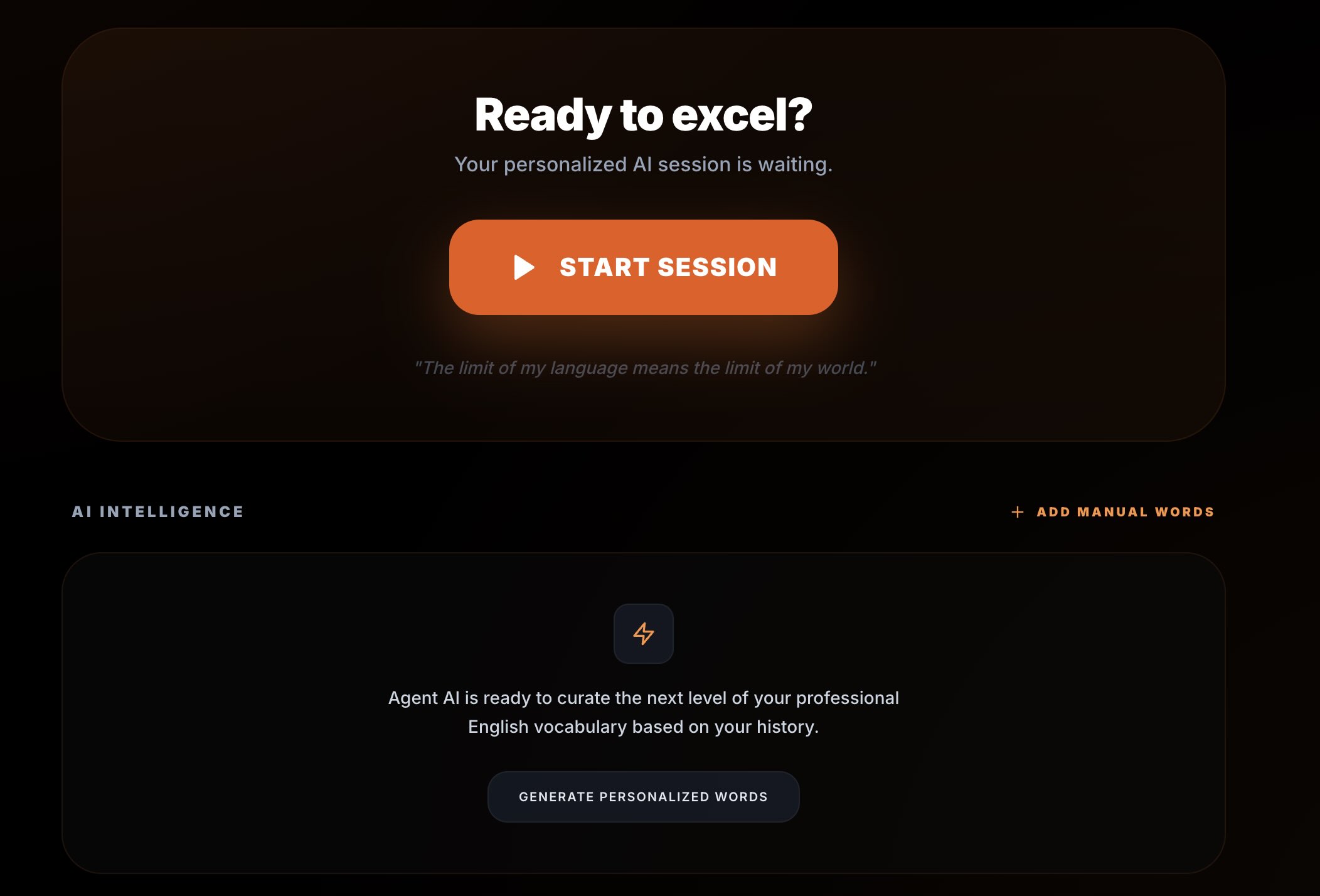
In an hour, AI English PRO was created — a personalized PWA application that teaches me exactly what is useful to me at work.
Process: From Idea to Working Application
I did it "by the book".
First, I iterated several times with Gemini (an extensive model for solving programming tasks) on how the application should look:
- UI
- Architecture
- Data Model
- Hosting
- Method of generating and storing lessons
Only then did I prepare a precise prompt for the coding assistant and ran Antigravity.
The workflow was as follows:
Specification → prompt → generation → corrections → ready application → verification by another LLM → user tests
It wasn't chaos. It was a conscious design process.
And here appears an element that is absolutely key in working with AI: planning.
The better the problem is defined at the input, the fewer hallucinations, fewer accidental architectural decisions, and less "magic" code that no one understands.
The coding assistant does not replace the design stage. It ruthlessly verifies it. If the specification is imprecise, we get an imprecise solution — just faster.
Planning allowed me to:
- maintain control over the project structure,
- limit refactoring,
- consciously make technological decisions,
- shorten implementation time to a minimum without losing quality.
In the AI era, the speed of code generation is not an advantage.
The advantage is the quality of thinking before generating it.
Tech Stack
Here is the stack I used to create the application. I didn't waste time chasing the most hyped framework, I bet on proven solutions that I was sure LLM has a lot of training data for and I also have experience in them, so I could control progress on an ongoing basis.
1. Vite – Speed and PWA Without Complications
I chose Vite because "life is too short for slow builds". Hot Module Replacement in Vite works instantly. When working with React + Tailwind, every second of delay breaks concentration. Here changes are visible immediately.
Progressive Web App
I wanted the application to work like a native app on my phone – with an icon on the main screen and offline operation. Thanks to vite-plugin-pwa, configuration was trivial. In vite.config.ts I only added a plugin that generates manifest.webmanifest and handles Service Workers:
// vite.config.ts
import { VitePWA } from 'vite-plugin-pwa';

export default defineConfig({
  plugins: [
    react(),
    VitePWA({
      registerType: 'autoUpdate',
      manifest: {
        name: 'AI English PRO',
        short_name: 'AIEnglish',
        theme_color: '#000000',
        icons: [ ... ] // icons for iOS and Android
      }
    })
  ]
});
Effect? The app installs on iPhone and Android, works full screen, and caches resources.
2. Firebase – Backend Without Infrastructure
I focused on business logic, not setting up servers. Firebase handled all the "heavy" server work:
- Authentication: User login (Google/Email) "out of the box".
- Firestore: NoSQL database to keep progress, card decks, and learning history.
- Offline Persistence: This is a key feature. I enabled
enableIndexedDbPersistence, thanks to which the application works in the subway or on a plane. Data synchronizes itself when I catch a signal.
// services/firebase.ts
import { getFirestore, enableIndexedDbPersistence } from "firebase/firestore";

export const db = getFirestore(app);

// Included one line that does the offline magic:
enableIndexedDbPersistence(db).catch((err) => {
    console.warn('Firestore persistence error', err);
});
Fun fact: I even keep AI API keys in a secured collection in Firestore, which the application downloads at startup, instead of embedding them in the frontend code. To push the built app I don't use any pipelines just Firebase console tools, thanks to which my coding agent has no access to either AI API keys or my app access data. The only thing it has access to is .env data, in which information is embedded that is available on the page anyway.
In current realities, this is not an option — it is a necessity. Keeping passwords and API keys locally or in a repository is an invitation to problems: data leakage, API abuse, uncontrolled costs. If we build something using AI, security must be an element of architecture, not an addition.
3. Gemini AI – The Heart of the Project
This is the "heart" of the project. Instead of manually entering words into the database, I connected Google Gemini API (model gemini-2.0-flash), which generates lessons for me "on demand". Thanks to this, the application is infinite and contextual.
How Does It Work?
In the aiService.ts service, I have a function that builds a prompt for AI. It's not just "give me words", it's something more:
- Role: I tell AI that it is a "Native Speaker and business english mentor".
- Student Context: "Student is a Software Engineer at C1 level". Thanks to this I get sentences about deployments, stakeholders, and deadlines, not about the weather.
- Memory: I send AI a list of words I already know (
learnedWords), with the instruction: "DO NOT include any of these words". Thanks to this, the material does not repeat. - Structure: I force JSON format to easily display it in UI.
Here is a fragment of the prompt that does the job:
const prompt = `
    You are a native speaker and an elite English mentor.
    Your student is a software engineer. Current level: ADVANCED.

    Prepare 15 new words. Focus on:
    1. Professional Tech English: Architectural terms, code reviews.
    2. Daily Native Life: Casual idioms used in Silicon Valley.

    Return ONLY a JSON array:
[
      {
        "en": "word",
        "pl": "translation",
        "example": "sentence in tech context",
        "category": "Tech/Business"
      }
    ]
`;
Result? I get flashcards like:
- "Bottleneck" – with an example about database performance.
- "Low-hanging fruit" – in the context of task prioritization in JIRA.
- "To mitigate" – when discussing risk in a project.
4. TTS – Every Word Can Be Listened To
Each flashcard has an option to listen to pronunciation. I could have hooked up an external TTS API or used local models (I recently tested such solutions), but in this project it would be using a sledgehammer to crack a nut. Simplicity, speed, and reliability count here.
I used a native browser solution: window.speechSynthesis and SpeechSynthesisUtterance. These are standard JavaScript interfaces available in modern browsers.
Voice Selection Strategy
I cared about a British accent. The voice selection algorithm works in order:
- Google UK English Female
- Google UK English Male
- Daniel (macOS/iOS)
- Serena (macOS/iOS)
- Any en-GB voice
- Any English voice as a fallback
Thanks to this, the application adapts to the user's system but maintains priority for quality and accent.
Playback Parameters
- Rate: 0.9 — minimally slower than natural conversation
- Pitch: 1.0 — natural pitch
- Volume: 1.0 — full volume
These are not random values. The tempo is supposed to support cognitive processing, not hinder it.
Why such an approach?
- No costs and no latency — works offline.
- Natural quality — uses system engines.
- Privacy — text processed locally, without sending to the cloud.
In addition, the lector's voice is like a “box of chocolates, you never know what you’re gonna get” as Forrest Gump said. And that also does a nice job.
Scaling: Beginner and Intermediate Levels
Initially, the application was only for me. Then the family started asking if they could also use it. So I added Beginner and Intermediate levels.
This required:
- changing the prompt,
- introducing difficulty levels,
- simplifying examples,
- limiting specialized idioms,
- adding languages to the UI.
The same application, different user profiles, different learning paths. This is no longer an experiment. It is a system.
Summary
This project is not about flashcards. It is an example of how specialized tools using AI are built today. Specification is created in dialogue with the model. Code is generated by the assistant. Infrastructure works as a service. Barrier to entry is low.
Key is no longer just writing code. Key is:
- understanding system weak points,
- knowledge of model and technology limitations,
- conscious architecture design,
- precise definition of business need.
AI speeds up implementation, but does not solve the problem for us. If we do not understand where the system can fail and what real value it is to deliver, the tool will just be a demonstration of technology.
The programmer profession will not disappear. It will change. It depends on us whether we will be operators of code generators or engineers who understand the system — as a whole, along with its limitations and business goal.